For an entirely new desktop, I would favor DDR5 if the budget still leaves room for a suitable graphics card and enough memory for your applications. DDR4 remains worth considering when it meaningfully lowers the bill, especially if you already own the RAM or part of the platform.
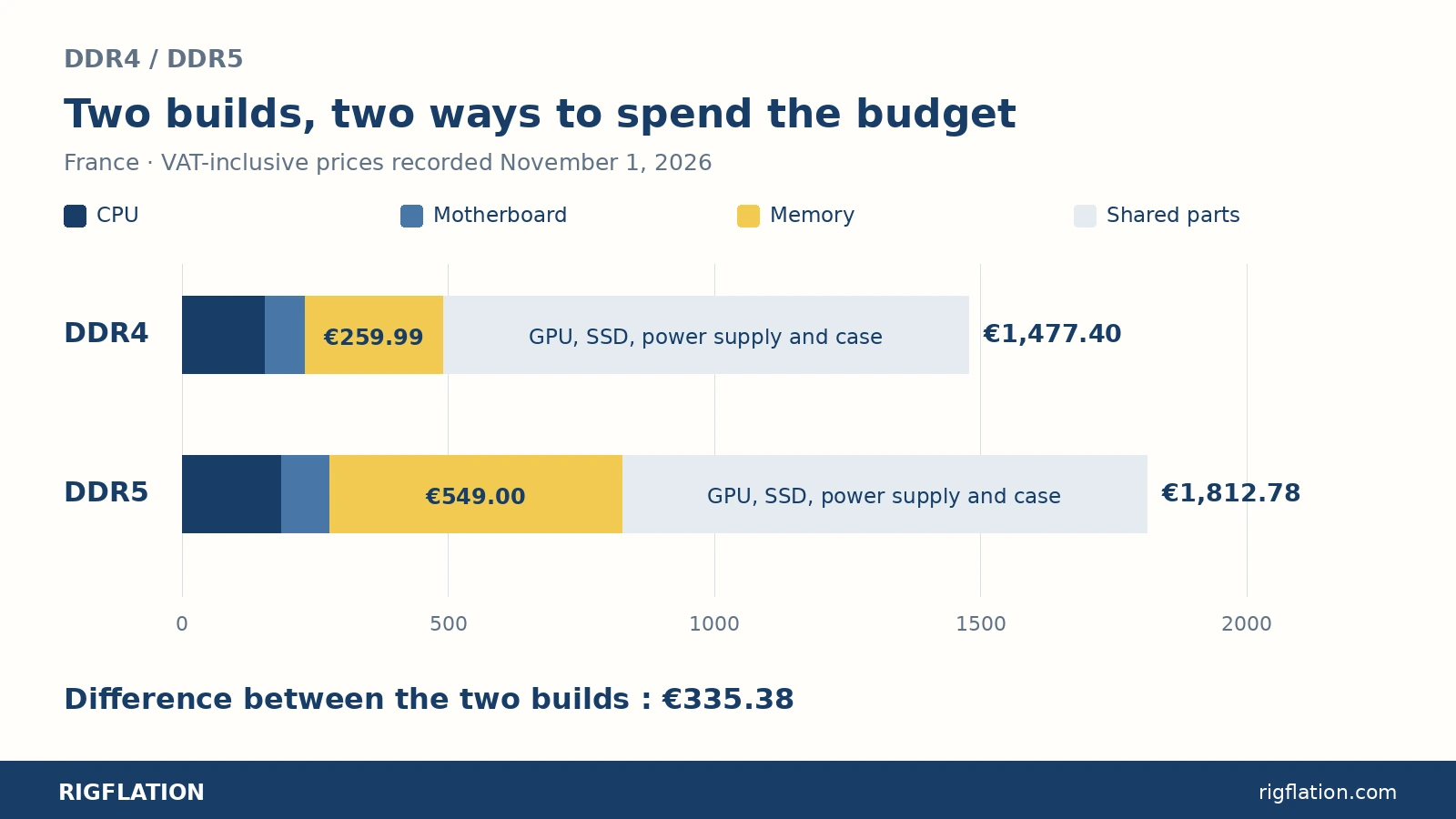
In the two French parts lists detailed here, the DDR4 build costs €1,477.40 and the DDR5 build €1,812.78 with the same graphics card. That €335.38 difference deserves more consideration than dismissing either technology as “obsolete” or “essential.”
On Reddit, the real disagreement is about the budget
On r/buildapc, u/Radar2032 makes the case for their Core i5-13400F, 32GB DDR4 and RTX 5060 Ti 16GB build. Replies weigh the immediate spending against the value of future upgrades. An upgrade option several years away means different things depending on how long it takes to save the extra money now.[1]
At a different budget level, u/ultimate_zombie describes replacing a nine-year-old machine with around $2,500 in the United States. They wonder whether allocating $500 to RAM would leave the rest of the desktop unbalanced. They eventually choose DDR5 for gaming and programming.[2]
These situations suggest the useful starting point: what complete PC can you afford, and which compromises will you notice? Compare the CPU, motherboard and memory together, then check what remains for the GPU.
DDR4 or DDR5 also means choosing a platform
AM4 uses DDR4; AM5 uses DDR5. Some 12th-, 13th- and 14th-gen Intel Core CPUs support both through different motherboards. The memory modules are not interchangeable.[4]
A DDR4 motherboard therefore shapes the rest of your build. Moving to DDR5 later means paying for another motherboard and, depending on the platform, another CPU. That future expense needs a concrete purpose: the games you want to play, an application that has become too slow or a new monitor.
If you plan to keep the PC for years without changing its CPU, upgrade potential has less immediate value than it does for someone who upgrades regularly. Include it in the calculation alongside the price and performance you get today.
Two new builds priced in France
These two self-assembly desktops have 32GB of RAM and the same Radeon RX 9060 XT 16GB. French VAT-inclusive prices were recorded November 1, 2026 on PcComponentes France and its marketplace. Add the operating system, assembly and peripherals you need.
| Part | DDR4 build | DDR5 build |
|---|---|---|
| Boxed CPU | Ryzen 5 5600: €156.18[7] | Ryzen 5 7600: €186.43[8] |
| Motherboard | Gigabyte B550M K: €74.99[9] | ASRock B650M-H/M.2+: €91.11[10] |
| Memory, 2 × 16GB | T-Force Vulcan Z DDR4-3200 CL16: €259.99[11] | Corsair Vengeance DDR5-6000 CL38: €549.00[12] |
| CPU cooling | Wraith Stealth included[5] | Wraith Stealth included[6] |
| Graphics card | XFX RX 9060 XT SWIFT OC 16GB, Icoza: €714.15[13] | Same model: €714.15 |
| SSD | Kingston NV3 1TB, SNV3S/1000G: €154.11[14] | Same model: €154.11 |
| Power supply | Corsair CX650, CP-9020278-EU: €57.99[15] | Same model: €57.99 |
| Case | DeepCool CC560 ARGB V2: €59.99[16] | Same model: €59.99 |
| Advertised shipping for the selected offers | €0 | €0 |
| CPU + motherboard + RAM | €491.16 | €826.54 |
| Parts total | €1,477.40 | €1,812.78 |
Memory accounts for €289.01 of the €335.38 difference. The CPU and motherboard add €46.37. The DDR5 build also moves to a Ryzen 5 7600: its advantages extend beyond the memory modules.
In this guide
- On Reddit, the real disagreement is about the budget
- DDR4 or DDR5 also means choosing a platform
- Two new builds priced in France
- At the same budget, check what the saving buys
- DDR5 delivers measurable gains in games
- Future upgrades have an upfront cost
- 64GB DDR4 or 32GB DDR5: start with your applications
- Already owning DDR4 changes the calculation
- Checks that prevent buying the wrong kit
- Which build should you choose?
- Sources and further reading
This example shows why it pays to do the math when choosing. A CPU, motherboard and RAM bundle can narrow the difference. An expensive older part bought solely to retain DDR4 can consume much of the expected saving.
At the same budget, check what the saving buys
Choosing the DDR4 build in this example leaves €335.38 available. You can keep it, spend it on a monitor or change another component.
One priced option replaces the €714.15 RX 9060 XT with an ASUS Prime RX 9070 OC 16GB listed for €901.13 by Digital Bay on the same marketplace.[17] That costs €186.98 more, bringing the DDR4 parts total to €1,664.38, still €148.40 below the DDR5 build. ASUS recommends a 650W power supply for this model.[18]
You are now comparing two budget allocations: a newer CPU with an RX 9060 XT, or a Ryzen 5 5600 with an RX 9070. Look at benchmarks for your games at your resolution. A CPU-heavy game and a GPU-heavy game may favor different builds.
This is also a reason to keep a firm budget. If the saving only leads to more options without improving a specific use, you can simply spend less.
DDR5 delivers measurable gains in games
In December 2025, TechSpot measured about a 20% average gain with DDR5-6000 on a Core i5-12400F across twelve games at 1080p with an RTX 5090.[19]
In July 2026, Tom’s Hardware measured a 13.1% lower average with DDR4 on the Core i5-14600K: fifteen games, RTX 5090, DDR4-3200 versus DDR5-7200.[20]
These tests examine CPU and memory behavior with a very fast graphics card. For buyers, the value depends on the target frame rate. A high-refresh monitor, simulation game or demanding scenes can make the platform more important. When the GPU is already at its limit with your settings, giving it more of the budget may take priority.
Choose tests relevant to your games and check smoothness in demanding scenes too. An average across several titles helps with comparison; your main game can point toward a different decision.
Future upgrades have an upfront cost
AMD has announced support for socket AM5 through 2029.[21] That gives a new DDR5 desktop an argument in its favor if you expect to replace the CPU during that period. Check the exact motherboard, its CPU support list and BIOS for the upgrade you want.
The number of slots matters too. Our Gigabyte B550M K has four DDR4 slots; the ASRock B650M-H/M.2+ has two DDR5 slots.[22][23] The selected two-module kit fills the latter. Increasing capacity later means replacing that kit.
Before paying extra for an “upgradeable” build, describe the upgrade you expect to make. Adding memory, replacing the CPU and fitting a longer graphics card call for different features. A newer platform still needs a careful motherboard choice.
64GB DDR4 or 32GB DDR5: start with your applications
On r/buildapc, u/Deep-Dragonfly-3342 asks this question: their budget would cover 64GB of DDR4 or 32GB of DDR5. They plan development, machine-learning experiments, a home lab and occasional gaming.[3]
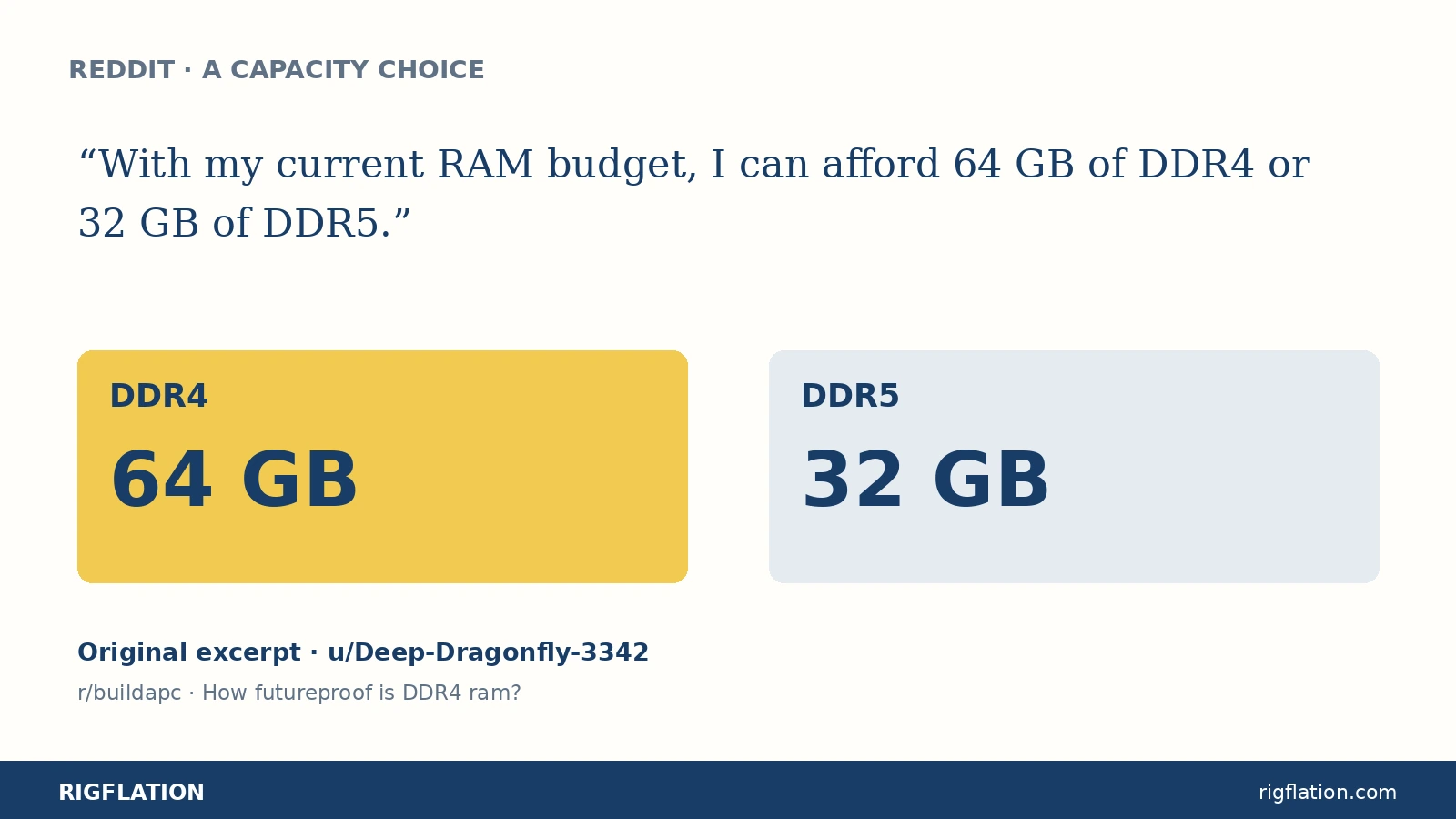
For this kind of work, start with the memory your projects and simultaneous applications need. Check actual usage during a representative task, then allow the headroom you need. Compare memory generations within configurations capable of doing that work.
For a gaming PC, look at the requirements of your intended games and other tasks. Excess capacity can tie up money that would help elsewhere; too little capacity to afford a newer platform just moves the problem.
Already owning DDR4 changes the calculation
If you already own the 32GB DDR4 kit in our list, its new cost is zero. The DDR4 build then costs €1,217.41 against €1,812.78 for the all-new DDR5 build, a €595.37 gap.
An existing AM4 motherboard and a CPU that still suits your needs change the situation again. Consider a targeted upgrade before rebuilding the platform. Check model names, the required BIOS and the proposed CPU’s performance in your applications.
Keeping suitable memory can therefore be a good choice. Its original purchase price is not a new expense; selling it to fund another platform calls for a separate calculation using the actual sale price.
Checks that prevent buying the wrong kit
- Check the memory generation supported by the motherboard and CPU, then the available slots.
- Note total capacity and module count. Two kits labeled “32GB” can have different layouts.
- A two-module kit can use both memory channels on the platforms shown.[25]
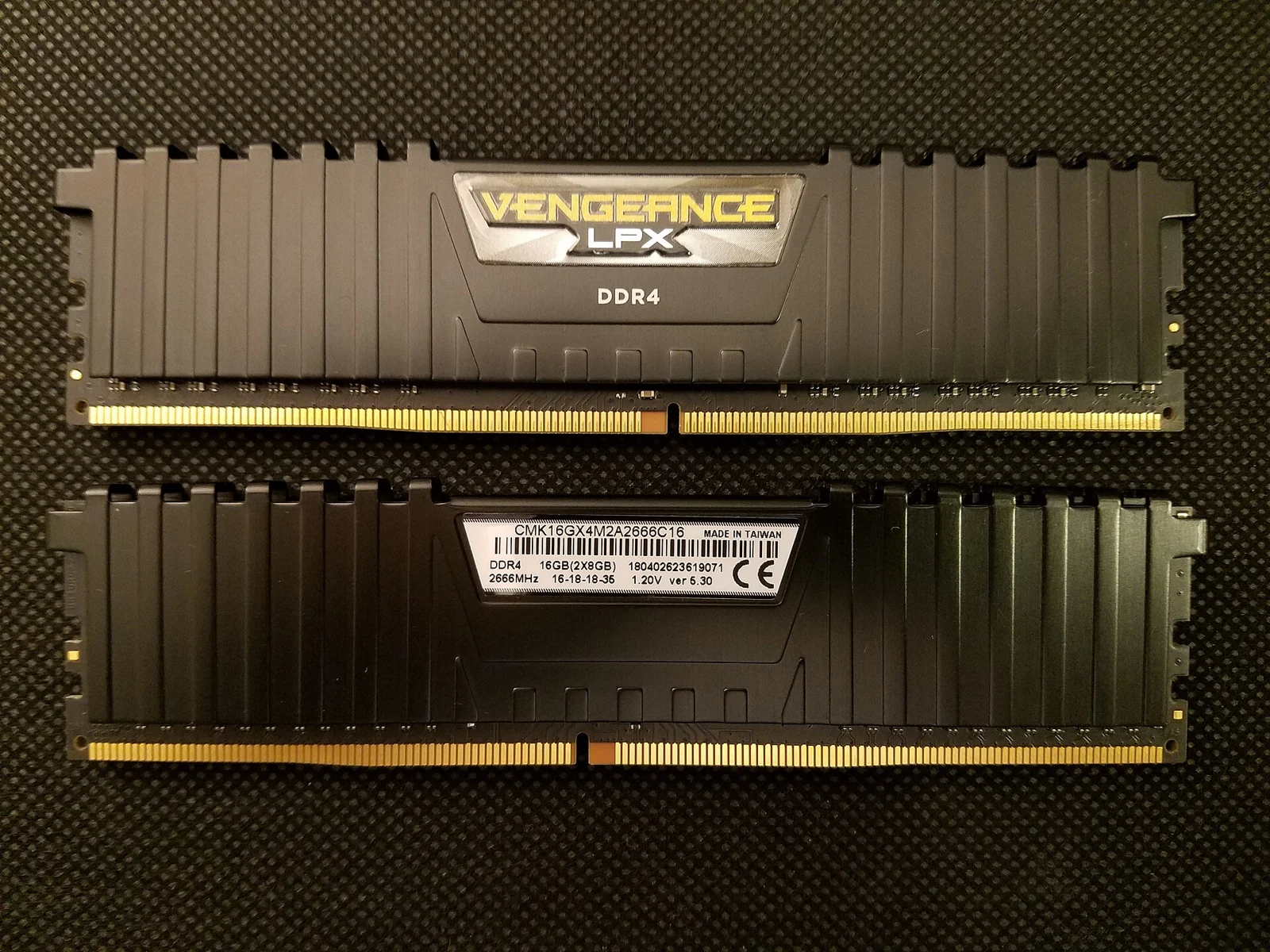
- The Corsair kit’s 6,000MT/s rating uses its EXPO/XMP profile. It needs the intended BIOS setting; the kit specifications list supported platforms.[24]
- Count the parts you actually need to buy, including a cooler missing from a tray CPU offer.
Keep exact model numbers when comparing quotes. A Ryzen 5 5600 and 5600G, a DDR4 motherboard and its DDR5 variant, or a 32GB kit and a single 32GB module are different items.
Which build should you choose?
For an all-new desktop with enough budget, I would choose DDR5 while balancing CPU, GPU and memory capacity. You get a newer platform, particularly useful if you plan future upgrades.
With a strict spending limit, a DDR4 build remains defensible when the saving is substantial and its performance meets your gaming needs. In these examples, the €335.38 saved can fund a different allocation of parts or stay in your account.
If you already own DDR4 and a suitable platform, start by pricing what you can keep. Buying an entirely new PC and extending an existing one call for different spending.
Prepare both builds with exact models and dated prices in Rigflation. For more help, read our desktop buying guide and our prebuilt versus DIY comparison.
Sources and further reading
- Reddit · Radar2032’s DDR4 build in 2026reddit.com↩
- Reddit · ultimate_zombie’s $2,500 US budgetreddit.com↩
- Kingston · memory generations and platform compatibilitykingston.com↩
- PcComponentes France · Ryzen 5 5600 · 100-100000927BOXpccomponentes.fr↩
- PcComponentes France · Ryzen 5 7600 · 100-100001015BOXpccomponentes.fr↩
- PcComponentes France · Gigabyte B550M Kpccomponentes.fr↩
- PcComponentes France · ASRock B650M-H/M.2+pccomponentes.fr↩
- PcComponentes France · T-Force Vulcan Z · TLZGD432G3200HC16FDC01pccomponentes.fr↩
- PcComponentes France · Corsair Vengeance · CMK32GX5M2D6000Z38pccomponentes.fr↩
- AMD · Ryzen 5 5600 memory and included cooleramd.com↩
- AMD · Ryzen 5 7600 memory and included cooleramd.com↩
- PcComponentes France · XFX RX 9060 XT SWIFT OC · RX-96TSW16BQ · Icozapccomponentes.fr↩
- PcComponentes France · Kingston NV3 · SNV3S/1000Gpccomponentes.fr↩
- PcComponentes France · Corsair CX650 · CP-9020278-EUpccomponentes.fr↩
- PcComponentes France · DeepCool CC560 ARGB V2 · R-CC560-BKTAA4-G-2pccomponentes.fr↩
- PcComponentes France · ASUS Prime RX 9070 OC · 90YV0LI1-M0NA00 · Digital Baypccomponentes.fr↩
- ASUS · Prime RX 9070 OC 16GB specificationsasus.com↩
- TechSpot · DDR5 versus DDR4 tests, December 5, 2025techspot.com↩
- Tom’s Hardware · DDR4 and DDR5 tests, July 28, 2026tomshardware.com↩
- AMD · AM5 support through 2029, Computex 2026amd.com↩
- Gigabyte · B550M K specificationsgigabyte.com↩
- ASRock · B650M-H/M.2+ specificationsasrock.com↩
- Reddit · Deep-Dragonfly-3342, 64GB DDR4 or 32GB DDR5reddit.com↩
- Kingston · modules, memory channels and population ruleskingston.com↩
- Corsair · CMK32GX5M2D6000Z38 and EXPO/XMP profilescorsair.com↩